News
Hanaso Talk adds read-aloud for translation results
Strive Trading has updated Hanaso Talk for iOS and Android with read-aloud for translation results using the device's built-in voice in the selected target language. Typing source text before voice input, editing it, and explicitly retranslating it are also easier.
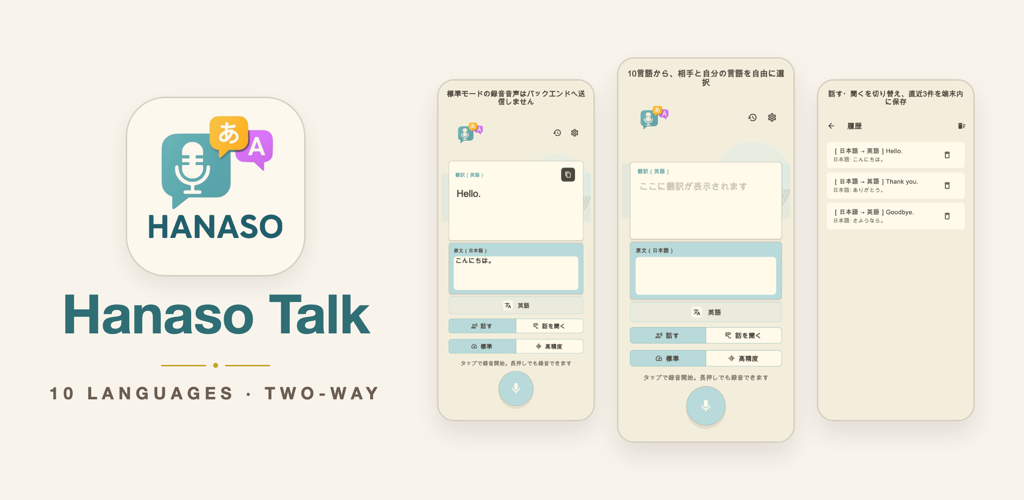
With the new read-aloud feature, tapping the speaker button on a translation result plays it in the selected target language using the device's built-in voice. This makes it possible to communicate by sound when showing the screen is difficult.
Playback stops when the speaker button is tapped again, recording begins, the language or translation direction changes, or the user leaves the screen. These controls prevent playback from overlapping with the next part of a short conversation.
Users can now type source text before recording, edit recognized text, and explicitly retranslate it. Switching between speaking and listening also applies the selected translation direction immediately.
Read-aloud uses the device's built-in text-to-speech and does not send translations to an external TTS service. Standard-mode speech recognition continues to run on the device, and audio used in high-accuracy mode is not stored permanently.
New and improved features
- Read translation results aloud in the target language using the device's built-in voice
- Stop playback by tapping again, recording, changing language or direction, or leaving the screen
- Type source text before voice input
- Edit source text and explicitly retranslate it
- Apply the selected language direction immediately after switching conversation direction
Supported Languages
Japanese, English, Simplified Chinese, Traditional Chinese, Korean, Thai, Vietnamese, Spanish, Brazilian Portuguese, and French
Strive Trading will continue improving Hanaso Talk to make short, face-to-face conversations clearer and easier.